One way to read the battle.
Campaign and Enter the Mire now share the same ability row, health and mana orbs, brood panel, minimap, and settings. Leaving a match returns to the title.
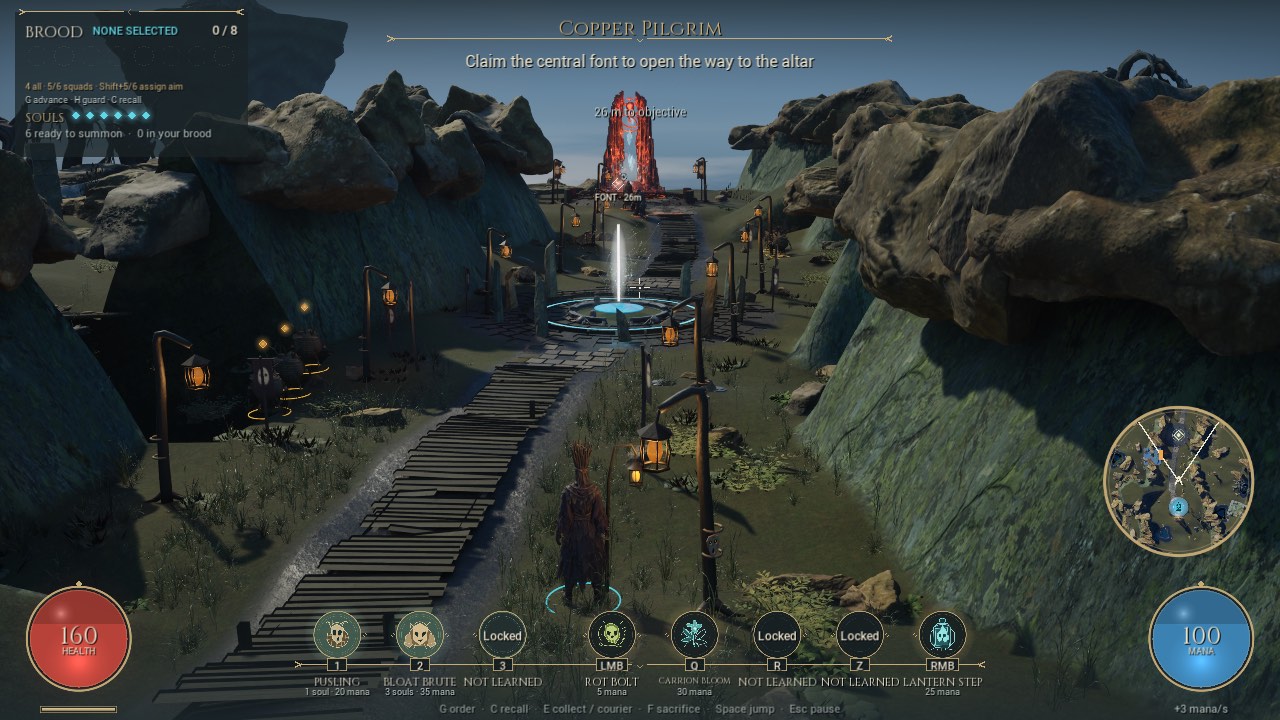
The game had grown two interfaces. Campaign gifts appeared above a second set of basic abilities, while the Mire used a clearer single row. The first consolidation pass brings those paths together without changing which powers the wizard has earned.
The earned kit, in one place
Three summon positions and five spell positions now use the same medallions in both modes. Campaign fills them from the prepared gifts; practice shows the borrowed pair. The opening keeps actions locked until they become available. Pusling appears once, under its actual key.
Costs, cooldowns and resource refusals follow the selected gift, including health costs and mixed-patron equipment. Health stays on the left, mana on the right. The shared brood panel shows orders and souls, while a gold marker on the campaign minimap points toward the current objective. Limbo exploration still keeps combat panels out of the way.
One set of preferences
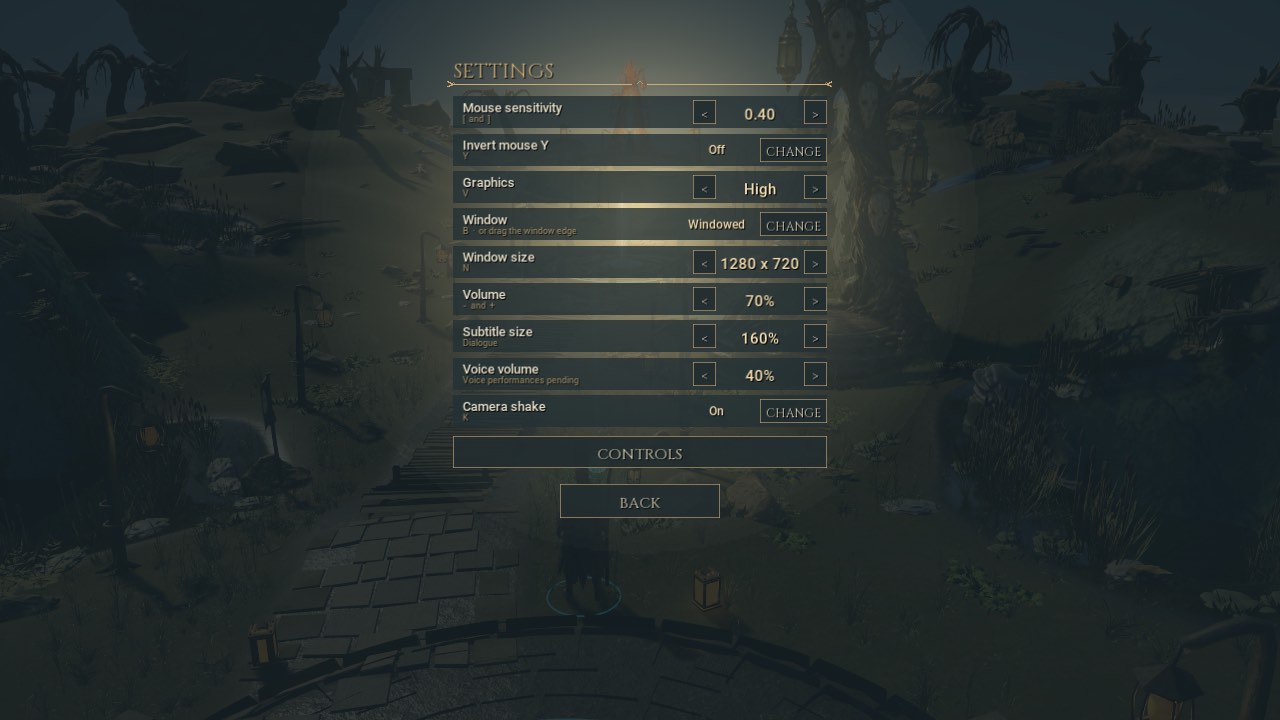
The Mire settings panel is now available from campaign pause as well as the title. Graphics, window, mouse, volume and shake controls sit beside subtitle size and voice volume. A controls page names the currently available abilities and the campaign dialogue keys.
Subtitle and voice preferences now belong to the player rather than a particular journey. Existing checkpoint preferences migrate once. Save, reload and recent conversation remain campaign pause actions. Voice volume is prepared for the later voice work; this iteration does not add performances.
Back to the title
Return to Title replaces the in-match Quit action. It works from pause, the result screen and the keyboard shortcut. Quit Game remains on the title. A campaign checkpoint remains available through Continue Campaign.
Separate local host and guest checks also leave a real connected match and confirm that the connection closes before the standalone title returns. These are local process checks, not remote Internet acceptance.
A checked first step
The exact packaged app was checked through campaign, reward, practice, finale and both-map rules, plus a rendered journey through settings, pause, return, Continue Campaign and a saved mission departure. Captures above are game frames, not generated concepts.
Altar boundaries, spawn framing and the centred god-audience camera are the next slice. The cinematic Vessara conversation follows that work. The existing frame hitches and human playtest judgement remain open; this UI change makes no performance claim.